We use a few small files called cookies. They keep you signed in, remember the area you chose and show prices in your own money. We do not use them for ads or tracking. What each one does
A booking is a request. The court is held for you from the moment you send it, and the host then confirms or declines.
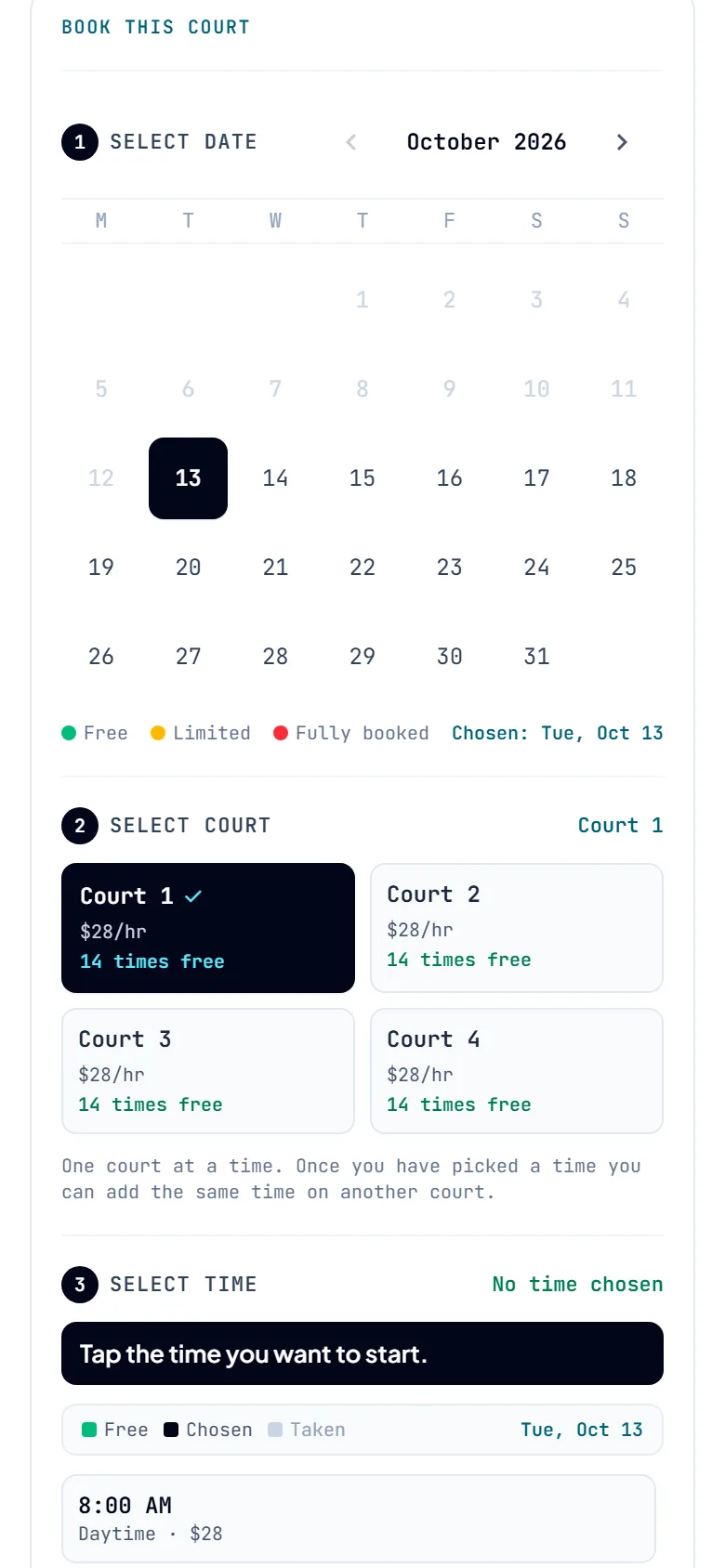
On the court page, go to the booking box and pick a date. The calendar shows which days are free, which are nearly full and which are fully booked.
 Opens the picture full size
Choose a court. Tap the time you want to start, then tap when you want to finish. The host sets the shortest and longest booking, so some lengths may not be offered.
If the host rents out gear, add it under Add-ons and extras. You can also add the same time on another court, or times on other days. They all go into one request with one booking code.
Pick one of the ways this host takes payment, then press Request to book. If you are not signed in, we keep your times while you sign in. Some hosts also let you book without an account.
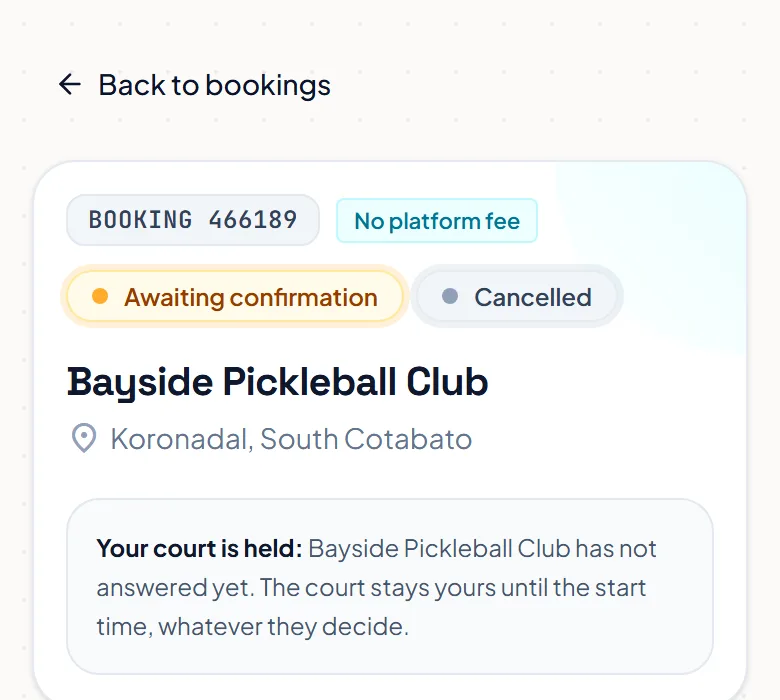
Your booking page says Awaiting confirmation. The court stays yours until its start time, whatever the host decides. You see the answer under the bell, and on your phone if you turn on notifications.
 Opens the picture full size
The pictures show example courts and players. Your own screens show your own courts and bookings.
Next guidePay the hostThe FAQ answers the common ones. Read the FAQ
