We use a few small files called cookies. They keep you signed in, remember the area you chose and show prices in your own money. We do not use them for ads or tracking. What each one does
You pay the host directly. We add nothing to the price and we never hold your money.
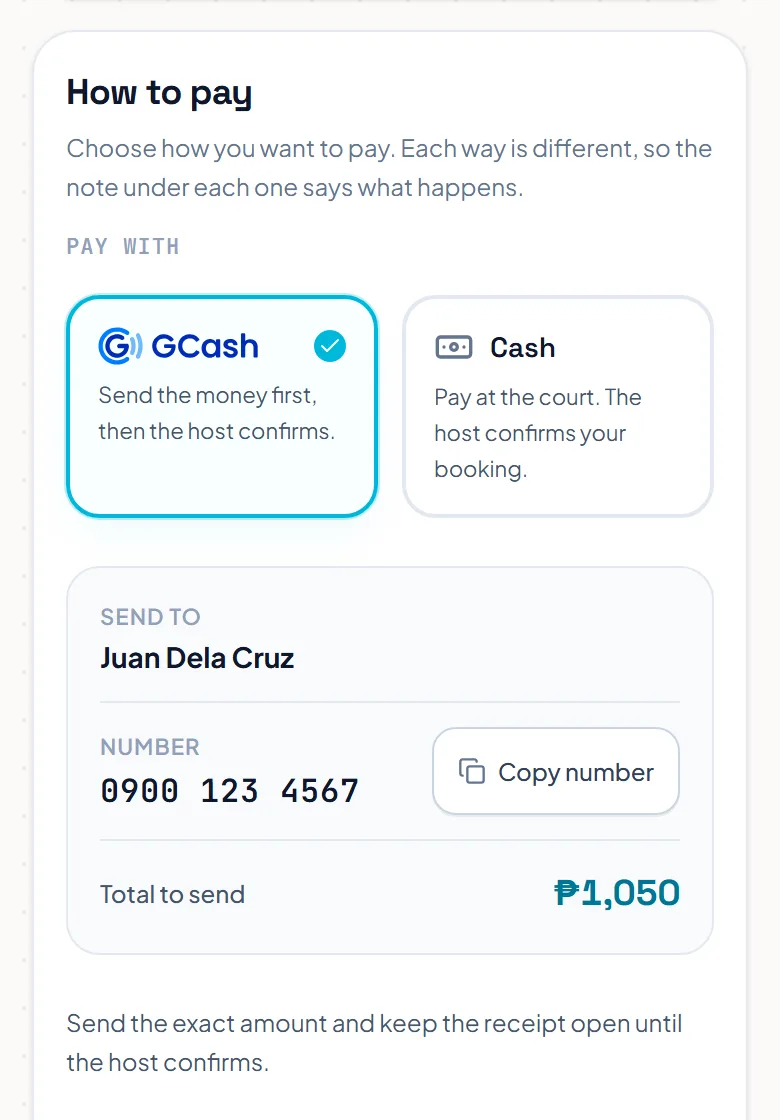
Open Bookings and press your booking. The How to pay box shows the ways this host takes payment.
Pick a way to pay. For a transfer, the box shows the name and number to send to. Press Copy number, send the exact total from your own app, and keep the receipt open.
 Opens the picture full size
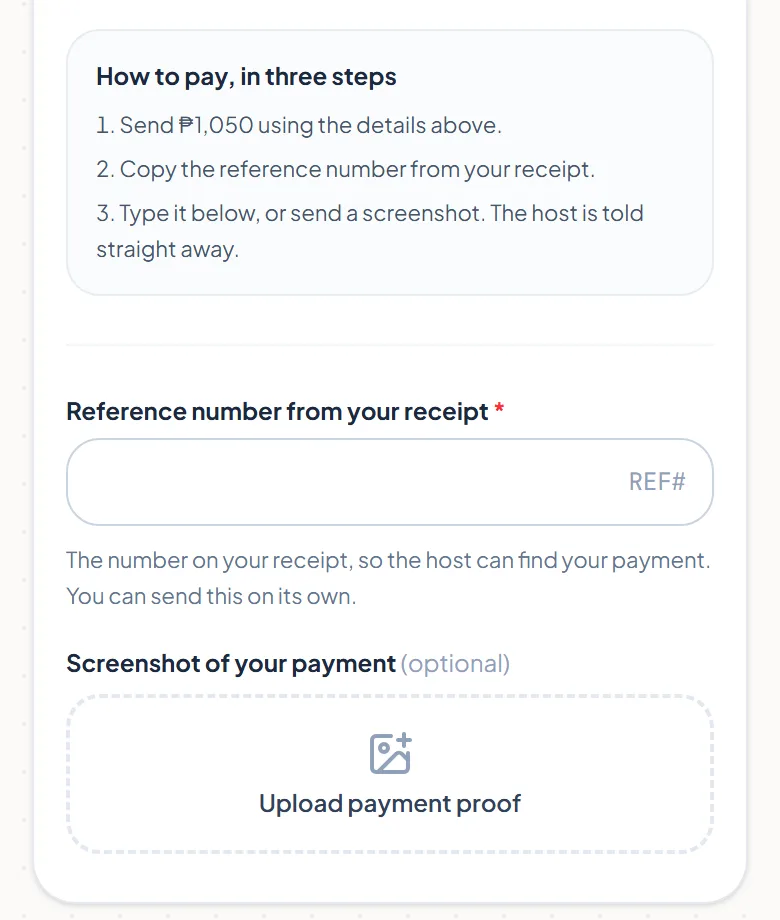
Type the reference number from your receipt and press Send this number. You can also upload a screenshot of the payment. The host is told straight away, and only you and the host can see it.
 Opens the picture full size
The host checks the payment and confirms your booking. If the host declines, the court is no longer held for you, and you can message them from your booking page.
Some hosts take card or online payment through their own account. Choose it, pay on the next page, and your booking is confirmed when the payment goes through. If the host declines later, they owe you a refund.
The pictures show example courts and players. Your own screens show your own courts and bookings.
Next guideYour booking code and passThe FAQ answers the common ones. Read the FAQ
