We use a few small files called cookies. They keep you signed in, remember the area you chose and show prices in your own money. We do not use them for ads or tracking. What each one does
Check-in tells you who has arrived. It needs the Pro or Club plan.
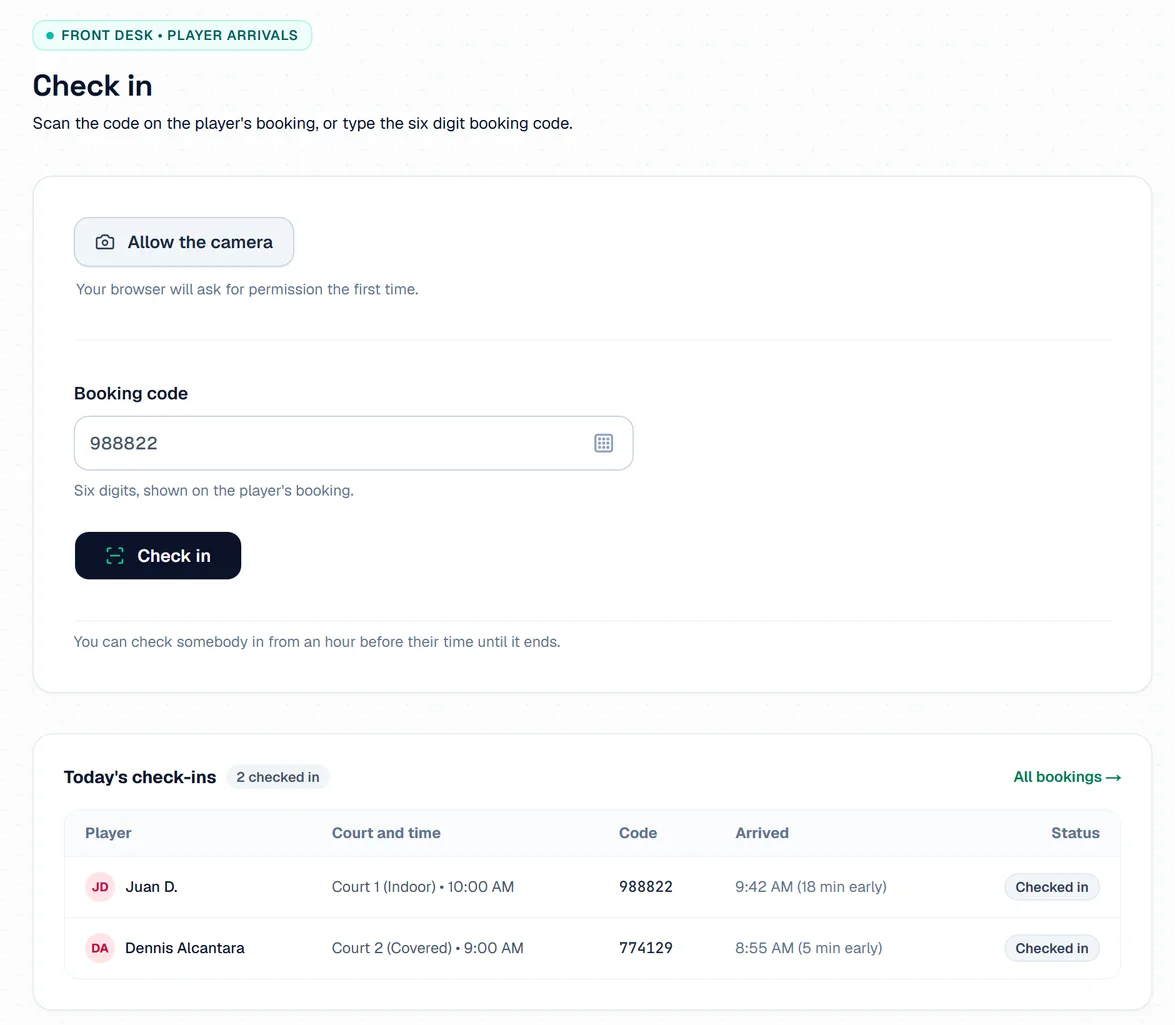
Open Check-in & QR Pass on the phone or computer at your desk. Press Allow the camera to scan, or use the Booking code box.
 Opens the picture full size
Scan the player's pass, or type their 6 digit booking code and press Check in. It works from 60 minutes before their time until it ends. Today's check-ins shows who has arrived.
If a player does not come, open Bookings after their time has ended and press Mark as absent.
The pictures show example courts and players. Your own screens show your own courts and bookings.
Next guideMessages and reviewsThe FAQ answers the common ones. Read the FAQ
