We use a few small files called cookies. They keep you signed in, remember the area you chose and show prices in your own money. We do not use them for ads or tracking. What each one does
Opening hours and prices are set once for the whole business. Each set of hours says which courts it covers.
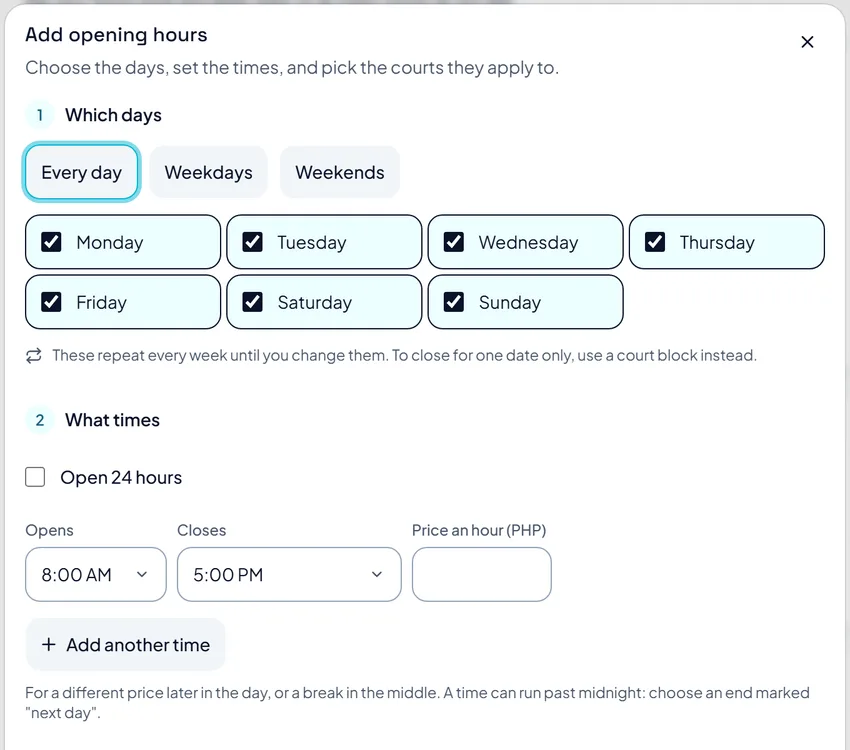
Open Operating Hours and press Add hours. Pick the days, the opening and closing time and a price per hour. Then tick the courts these hours cover and press Add these hours.
 Opens the picture full size
Press Add another time for a different price later in the day, or to leave a break. A time can run past midnight. Hours repeat every week until you change them.
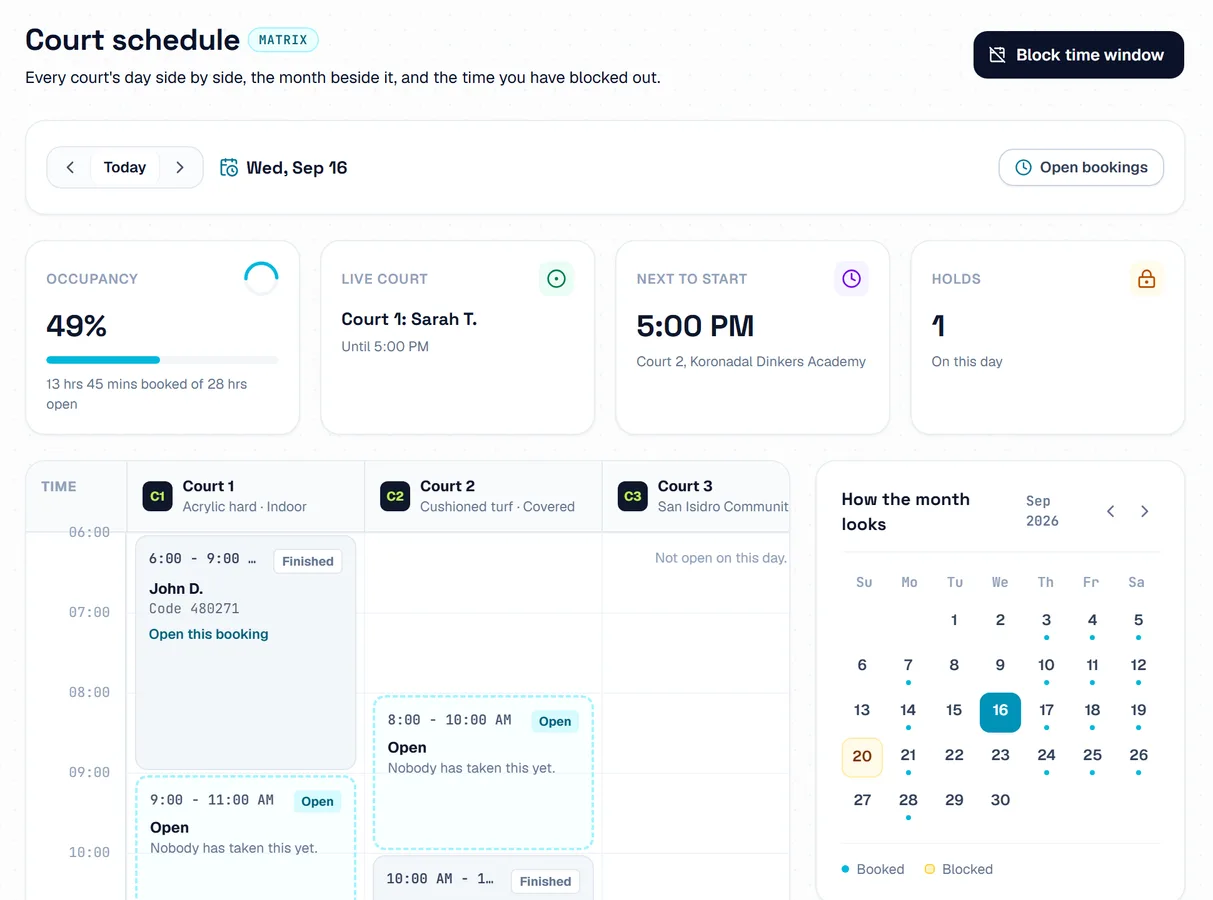
To close a court on one date, open Schedule and press Block time window. A block cannot cover a time that is already booked. Press Lift this block to open the time again.
 Opens the picture full size
The pictures show example courts and players. Your own screens show your own courts and bookings.
Next guideBooking rules and extrasThe FAQ answers the common ones. Read the FAQ
