We use a few small files called cookies. They keep you signed in, remember the area you chose and show prices in your own money. We do not use them for ads or tracking. What each one does
Team members can help with bookings, the schedule and check-in. Only owners can change places, hours, prices and payment.
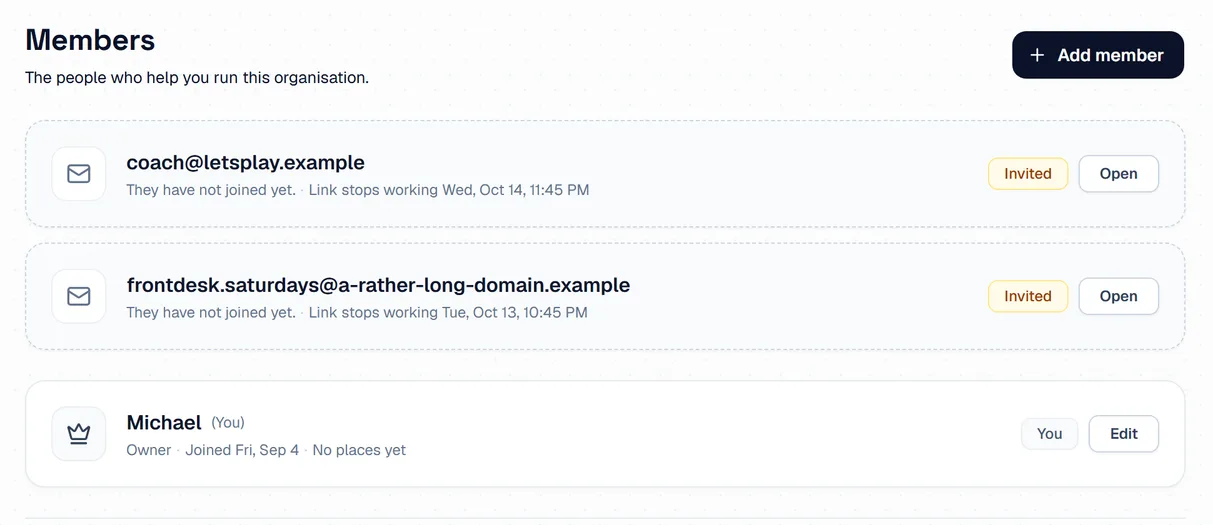
Open Team Members and press Add member. Send the link to the person. It stops working after a short time, and the date is shown beside it.
 Opens the picture full size
Press Edit next to a member to choose the places they look after. That decides who is told about new requests. Press Make owner to hand the business over.
If you have more than one place, use the place picker at the top of the menu to see one place, or all of them.
The pictures show example courts and players. Your own screens show your own courts and bookings.
Next guideAdd booking to your own websiteThe FAQ answers the common ones. Read the FAQ
