We use a few small files called cookies. They keep you signed in, remember the area you chose and show prices in your own money. We do not use them for ads or tracking. What each one does
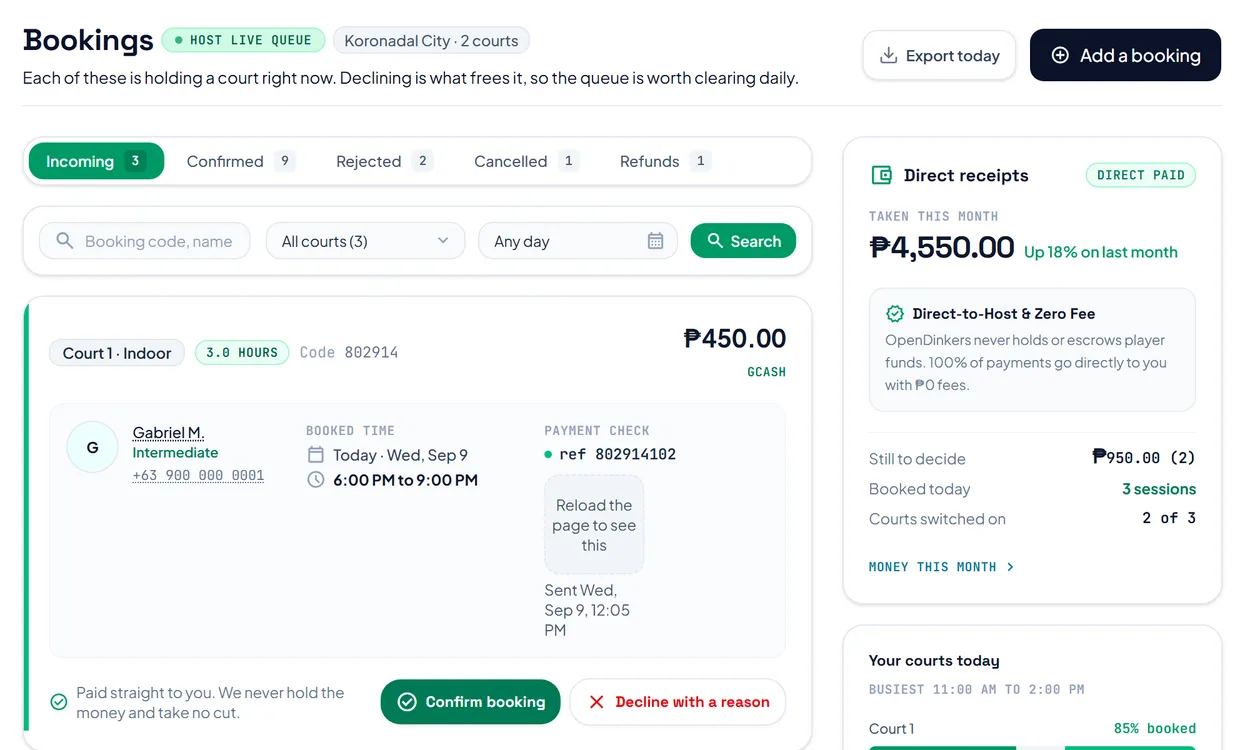
Every request holds a court until you answer it. Bookings shows the requests waiting for you first.
Open Bookings. Incoming shows each request with the player, the time, the price and the payment check: the reference number or screenshot they sent.
 Opens the picture full size
Press Confirm booking when you are happy with the payment. Press Decline with a reason to free the court, and the player sees your reason. If your method needs a screenshot, Confirm booking stays off until the player sends one.
Press Add a booking to put somebody on court yourself. It is confirmed straight away, and nobody is notified.
You can cancel a court on a booking. The player is then owed the whole amount. Send the money yourself, then press Mark as sent to record it.
The pictures show example courts and players. Your own screens show your own courts and bookings.
Next guideCheck players inThe FAQ answers the common ones. Read the FAQ
